Here is how the static-only (no live data) limited first-launch/graphics test will go. This will be open to first-gen WSV3 license holders and requires no payment/license as there's no Raster2 engine real-time satellite imagery just yet.
I will individually reply to your emails shortly and work with you on an individual basis to establish the following baseline of launching to fluid D3D12 compute-shader-based Raster1 graphics on the ultra-resolution global elevation grid. Go crazy with it. We are paying for your bandwidth consumption on this as a bridge to availability of data license. Today is the 10 year anniversary, release day, with anticipation, despite the slow pace my militant perfectionism. I certainly will honor that commitment by putting out what I can, presently static-only and very soon with Raster2 engine shown above. 10/28 clip shows you what's coming and proves concept to earn your further patience.
If it launches and loads, please report the cold launch time you see is 390ms in the following screenshot. This is the most optimized Win32 native graphics software launch in human history - installerless, VM-supporting, and sub-250kb EXE (will be improved later).
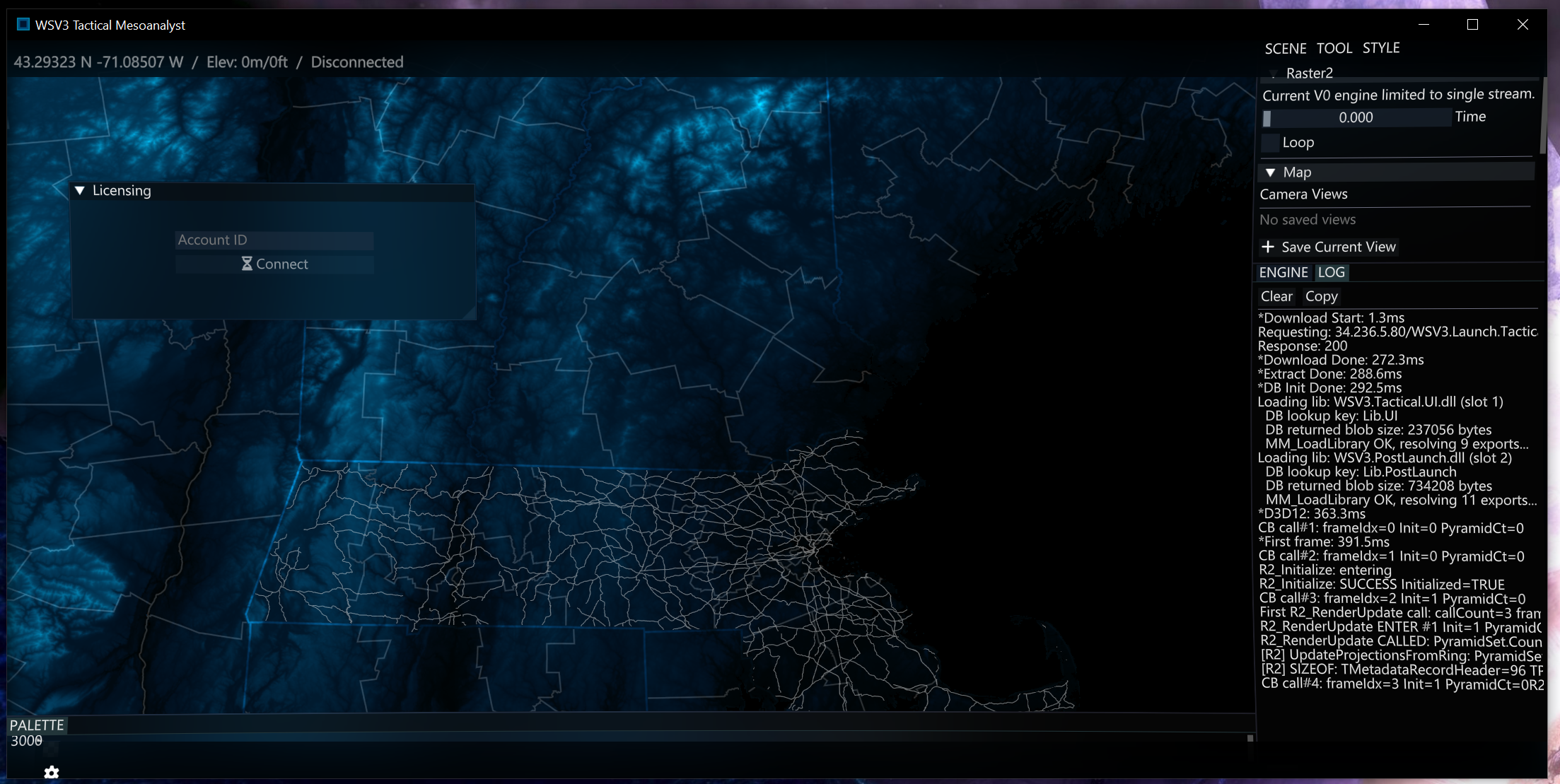
That 1.8mb PNG itself your browser just downloaded is almost 10 times the size as the EXE.
There is no vector/GIS engine. If you want to test ultra-basic line rendering with the Northeast hardcoded tile, you must download this file to the exact path C:\WSV3\WSV3.TestTile.dat
I will refer to this post in my email responses to you all. Thank you for your patience. We are going to take probably a year to get to V1 and will do absolutely everything perfectly and carefully. This is going to be the greatest and highest quality software product of its kind in the world, which I hope comes through with the static-only demo. You should be able to leave it open indefinitely. Everything you see is with zero dynamic memory and ultra-low-level bare-metal Pascal. Shipping a working product under these constraints will be quite a feat. Thank you for your participation. Also, I'd love to see some Task Manager outputs and in particular GPU percentage use amounts. It's not GPU optimized yet but you should be getting full 60/120fps even at full screen (Ctrl+F) on recent iGPUs.

